One system. Every role. Your data.
Say what your business does and Operate shows what you need. Your team gets their own access. Your records stay yours.
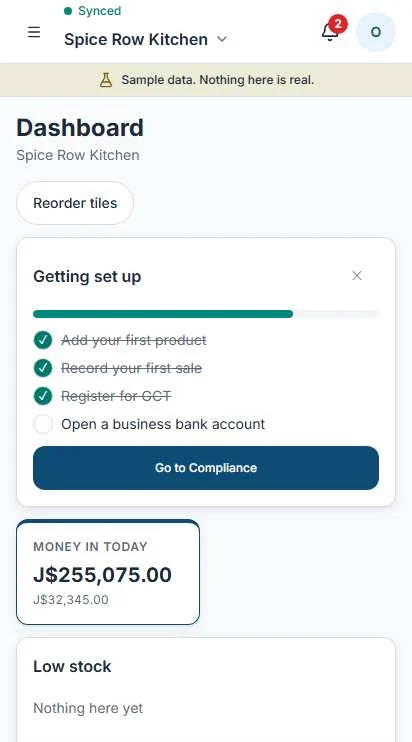
Set up in four moves.
Sign up, then answer four questions. It takes a few minutes. You can change every answer later, and Operate adjusts.
Name your business
Its name and the parish it works from.
Say what you do
Shop, cook shop, salon, guesthouse, farm, trades. Operate sets up the screens that fit.
Say where you are now
Informal, registered with a TRN, or GCT registered. No wrong answer, and no paperwork needed to start.
Add your team
Invite people now or later, and give each one a role.
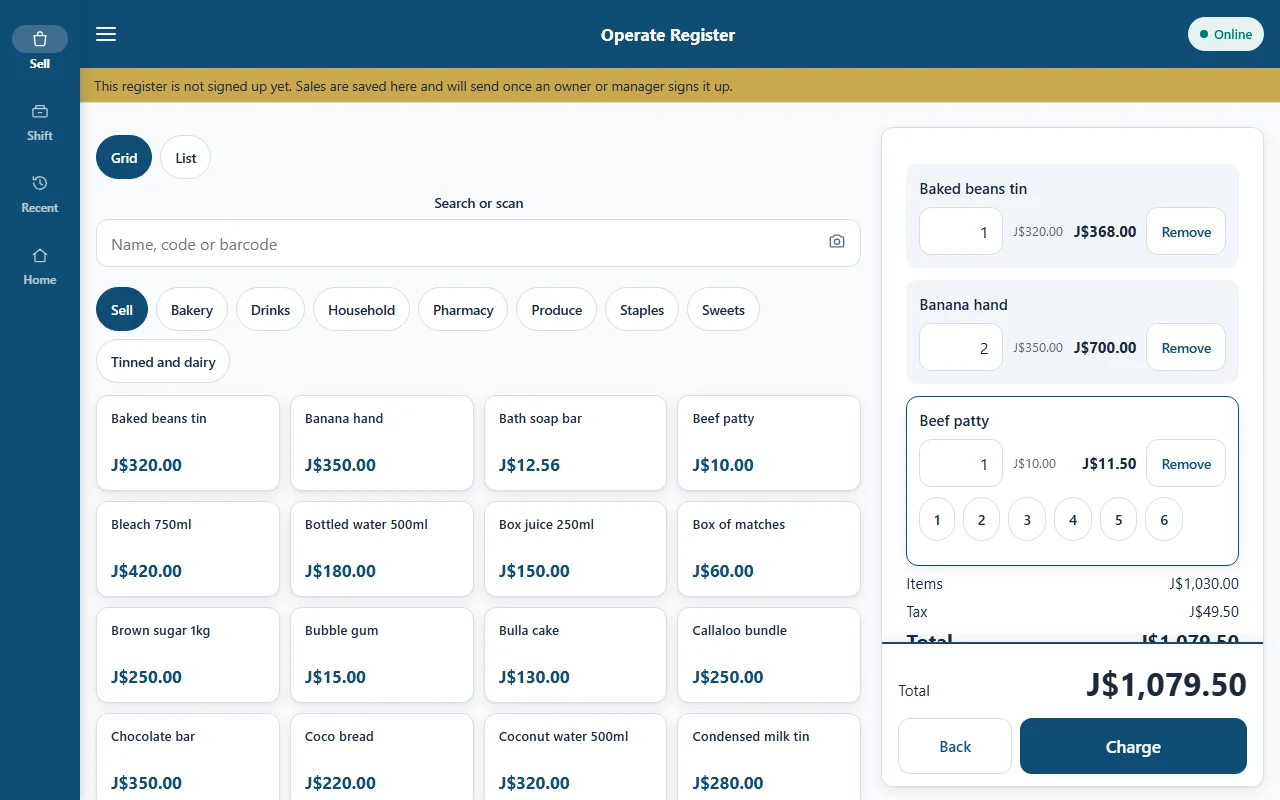
Operate Register on a tablet. Sample data.
Phone, tablet or browser.
Run the business from the browser on any computer or phone. Sell from Operate Register, a separate app for the counter.
- Operate Register is built for Android phones and tablets.
- The browser works on any device with a connection.
- iPhone is planned, not ready yet.
Keep working with no signal.
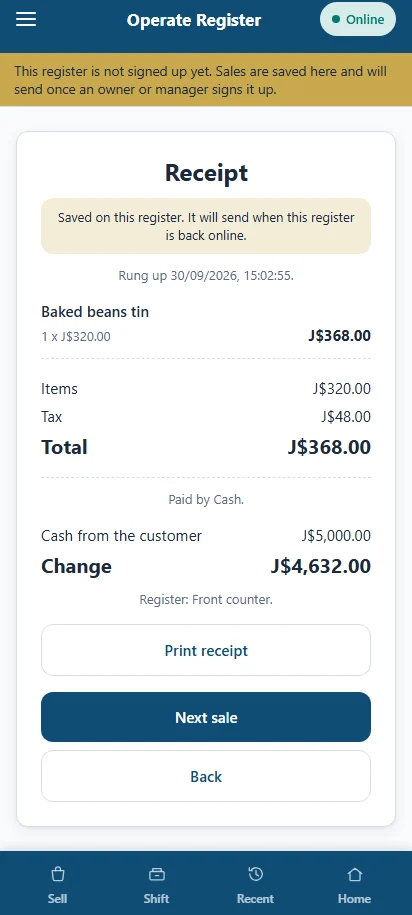
If the connection drops, Operate shows a banner and carries on. Your work is saved on the device and syncs when the connection is back. That is the hurricane rule: a storm should never stop your business.
At the register
Across the business
Everything you record offline syncs when you are back. Anything that reaches outside the business, like sending a WhatsApp message, opening the TAJ website or receiving online orders, goes through once the connection returns.
Where is your business now?
Pick a stage. See what appears. Operate grows with you, and nothing is behind a paywall.
Everyone sees their part.
Each person gets a role. A cashier sells and nothing more: no profit, no cost prices, no payroll, no settings.
Your records stay honest.
Records that can be quietly rewritten are not records. Operate keeps the trail.
Retired, not deleted
A document is retired with a reason. It stays on file.
Voids and refunds need a reason
Each one leaves a visible record of who did it and why.
Every change is logged
See what changed, who changed it and when.
Books corrected by reversal
A mistake is fixed with a new entry that reverses it, so the books always add up.
Security, in plain words.
- Register data on the device is stored encrypted.
- Each cashier signs in with their own PIN.
- The register locks itself when it sits idle.
- Roles are checked on every screen, not only at sign-in.
- Your data is protected while it travels between your device and Operate.
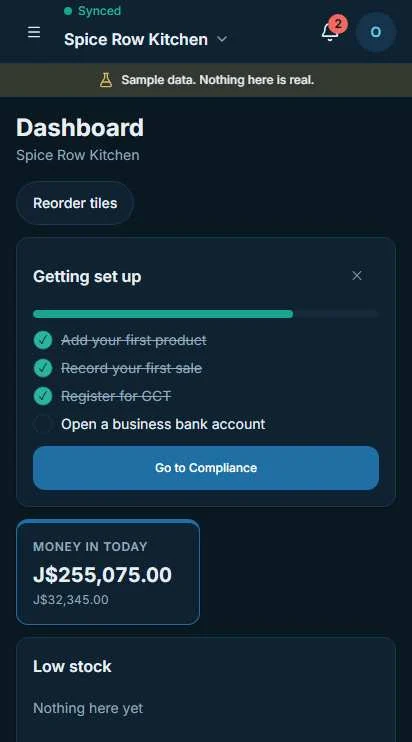
Dark mode, for the evening count-up. Sample data.
You decide who sees what.
Two switches. Both are off by default. Turn either one off and sharing stops.
What can be shared
- Your formalisation stage
- Compliance health
- Your readiness band
What is never shared
- Individual sales
- Customer details
- Staff pay
Bring your history with you.
Import records from other bookkeeping software and from spreadsheets. Imported records keep a source label, so you can always tell what you typed and what you brought in.
Help is on every screen.
Tap help on any screen to read how it works, or ask us a question right from the app.
Ready to set it up?
Early access is opening to small businesses in Jamaica.